





Best Of
Re: Trying to get Drivers for Bios Update Acer TravelMate P256-M (TMP 256-M-56Y7)
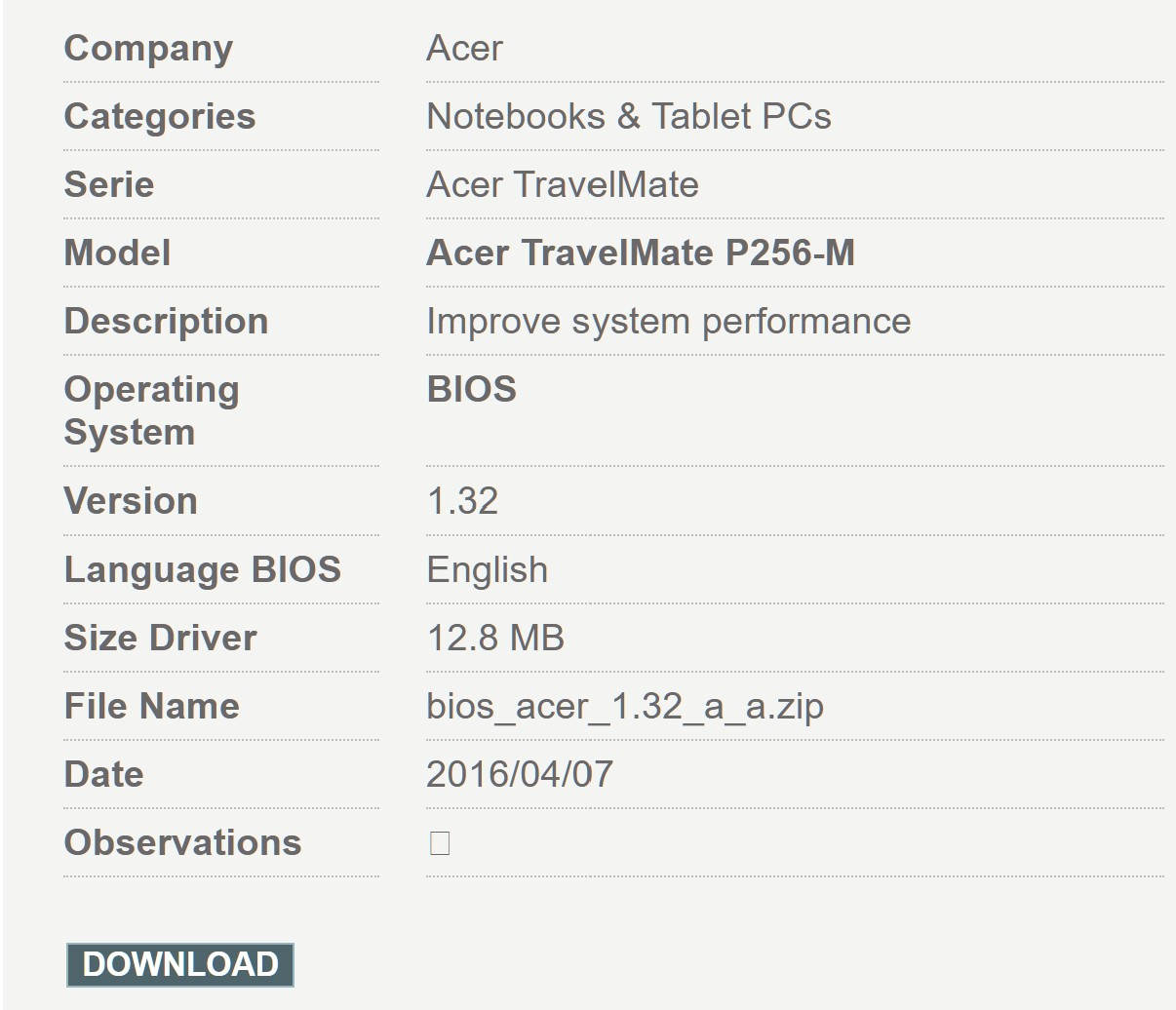
Your Acer laptop model TravelMate P256-MG Acer has stopped support for at their Acer Product Support page and they don' have any bios files for this laptop, you can go to an excellent and legit 3rd party site called HelpDrivers as they have available 57 files for Acer TravelMate P256-MG laptop and all the bios files up to this laptop last bios Version 1.32 bios_acer_1.32_a_a.zip - dated: 2016/04/07 - size 12.8 MB that I've included for you below. Good luck and hope this helps you out.
Note: if the bios version below is not the appropriate bios for your exact model TravelMate P256-MG-56Y7 then the below file will not install.
- How to update BIOS:
Click Z5WAH132.exe file within windows - Release Note:
Improve system performance
If this answers your question and solved your query please "Click on Yes" or "Click on Like" if you find my answer useful👍

Re: Trying to get Drivers for Bios Update Acer TravelMate P256-M (TMP 256-M-56Y7)
Hi SmithGo
The last BIOS released was version 1.32 (2016) that will work with Windows10, you can download that BIOS version (see picture) and all drivers from this reliable site: Acer TravelMate P256-M Notebooks & Tablet PCs > Downloads Drivers, Manual and BIOS
 Puraw
Puraw
Re: Help Installing New M.2 SSD w/ Windows 11 to Acer Swift 3 N20C12 - Unable to Find HDD.
@AnhEZ28, Yes, I was able to resolve the issue once I got all of the necessary drivers from the official page here on the website. I really do appreciate your help! Now the only real issue I am having is with the loose key that I cannot get reseated properly. I know the problem lies in my stumpy, chubby hands coupled with failing eyesight. Just wish there was a straight-forward method to properly reseat the key. It's still functional and still holding… for now, but I am fearful that any unwarranted jostling will result in me losing the key.
Thank you so much for your time, feedback, and help. It is greatly and sincerely appreciated!
 NXS
NXS
Re: Acer Nitro V 15 ANV15-51-VMD Inaccessible_Boot_Device
It turned out that the problem was with the RAM, one of the sticks had a manufacturing defect, thanks to Acer NitroSense which always stopped when checking the RAM and when I replaced them the problem was completely gone.
 Samarrai
USB C Port stopped working - UCM-UCSI ACPI Device - Code 10 error
Hi all,
Unfortunately, woke up one day to work and the USBC ports stopped working (display thunderbolt and power one)
From looking on this forum and google, this problem is common in laptops - however typically is error 43, where rebooting clears this.
However this error - 'This device cannot start. (Code 10) - The I/O device is configured incorrectly or the configuration parameters to the driver are incorrect.'
I've tried the usual tricks for the error 43 version of this error where rebooting usually works, holding the power button for 50 seconds when powered off.
However I have updated the chipset, bios and windows, and done the windows (reupdate) option that looks to clear errors of a previous windows update, but still no luck…
Any ideas everyone?

Re: Can I replace Acer extensa EX215-51G FANS (DC28000NSD0) with FCN48ZAVFATN00?
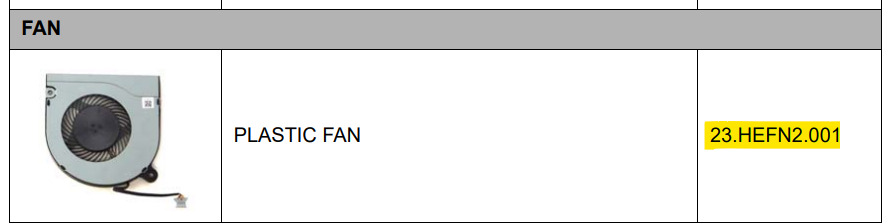
The fan for your Extensa 215-51G is the fan listed below and you should search the web with the Acer part number highlighted in the caption below for the exact fan to fit your laptop.
If this answers your question and solved your query please "Click on Yes" or "Click on Like" if you find my answer useful👍





