





Best Of
Re: New windows11 computer won't recognize 2nd ACER monitor. Model EB222Q.
Get a HDMI splitter as that is the proper way to connect these two monitors and connect the splitter to the computers HDMI port and both monitors to the splitter. As the EB222Q is a 2017 50Hz - 75Hz refresher rate monitor can be connected with either a VGA HDMI splitter, which will give you two exact images on both monitor screens, as you will not be able to set these monitors up in a daisy chaining setup with a continual image on both monitors, Good luck and hope this helps you out further. .
If this answers your question and solved your query please "Click on Yes" or "Click on Like" if you find my answer useful👍

New windows11 computer won't recognize 2nd ACER monitor. Model EB222Q.
They were purchased in 2019 but support expired in 2022. I thought upgrading from the standard windows driver might help since both monitors are exactly the same. Right now I have one monitor on the VGA port and one on the HDMI. I have tried a number of different options but the computer only recognizes one. I am thinking also of getting an HDMI splitter but I'm afraid this wouldn't give the extended monitor capability. Help!!
 Rhoodm
Vg272uw 2 1440p 240hz Monitor not turning on
long story short. Screen lasted 5 days since purchase.
was away from home for 2 days tried 30 second power button unplugging etc
led light is not amber or blue or blinking. Its totally off.
saw another post that user was trying to turn it on with osd button i tried using the on button
which is located as the top button. Wont work please help
[Edited the thread to add issue detail]

Re: Looking for Acer Warranty Registration page, can't find it
Start by visiting Acer’s official warranty registration page at this link. Once there, you’ll need to enter your product details, including the Serial Number (SNID) and Part Number, which are usually found on the bottom of your laptop or its packaging. After that, fill in your personal information such as your name, email address, phone number, residential address, and the date of purchase. Make sure all the details are accurate, then submit the form.
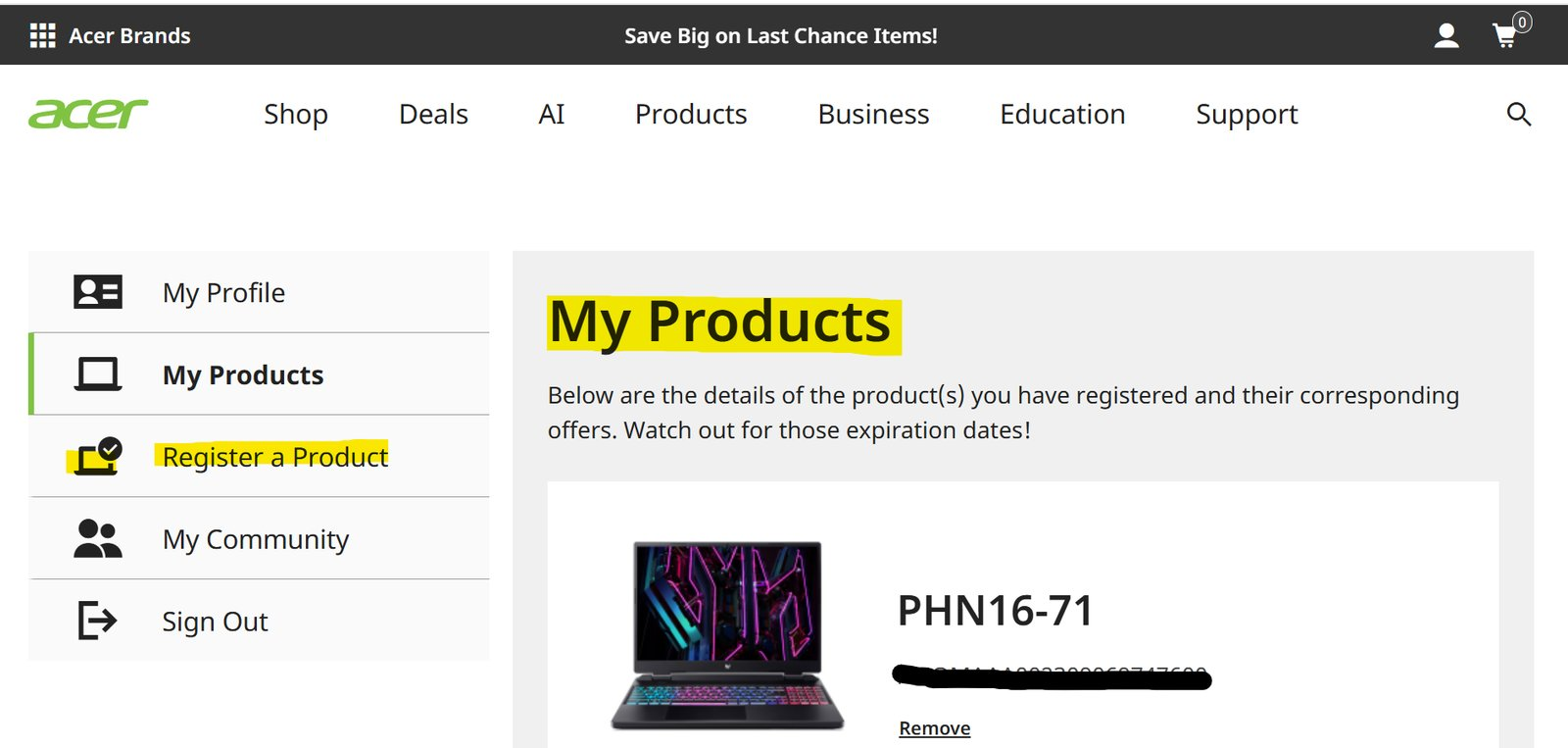
You also need to open an Acer account first and then withing your account you can register your new Aspire laptops model there.
Your Acer account page should look like in the caption below, and on the LEFT side you need to open the section "Register a Product" then register your new Aspire laptop.
Click on "Yes" if it answers your question or Click on "Like" if you find my answer useful
 Diya1811
Re: Can Acer Predator Helios Neo 16 charge via Type-C port?
Hi trson,
Yes, it has 2 USB-C ports that support TBT4 USB-C charging with a 100W special laptop charger that has a heavy 5A fixed DC USB-C cord. Acer Gaming laptops come with powerfull dGPU cards that consume >80W power even on idle and the PHN16 series laptops work on hybrid power, using the 231.1W power adapter combined with the Li-Ion battery so you will get a lower power pop-up alert when using only a USB-C charger or USB-C TBT4 docking station. Acer recommends to keep the brick power adapter plugged in 24/7 and have the battery fully charged at 100% at all times.
 Puraw
Puraw
Re: SSD is running at PCIe 3.0 speeds. Tried 2 other PCIe SSDs, both also run at PCIe 3 in ACER TC-1775
Your TC-1775 has two SSD M.2 slots, one of which is PCIe 4.0 and the other is PCIe 3.0. Are you sure you are putting the card into the right slot?
 billsey
Re: SSD is running at PCIe 3.0 speeds. Tried 2 other PCIe SSDs, both also run at PCIe 3 in ACER TC-1775
Hi FordTractor
To confirm whether your PCIe slot supports Gen3 or Gen4, download HWiNFO64 from the official site:
- https://www.hwinfo.com/download/
Once installed, open the app and expand the Bus or PCIe Root Port section. Focus on:
- Link Width:
- If it shows x4, the slot supports Gen4.
- If it shows x3, it's Gen3—this reflects the motherboard’s electrical lane configuration.
This method works regardless of SSD brand, as it reads the actual negotiated lane width from the chipset.
Puraw





