





Best Of
Re: Aspire TC-885 crashes with RTX 3050 Installed, screen goes blank, PC still running
Stick with 566.36 for now. If an application or game requires a newer driver in the future, upgrade to the latest available version at that time.
At present, 566.36 is the better choice since the newer NVIDIA drivers are somewhat problematic.

Why is brightness control in my laptop (windows 11 pro) not working on TravelMate P259-G2-MG?
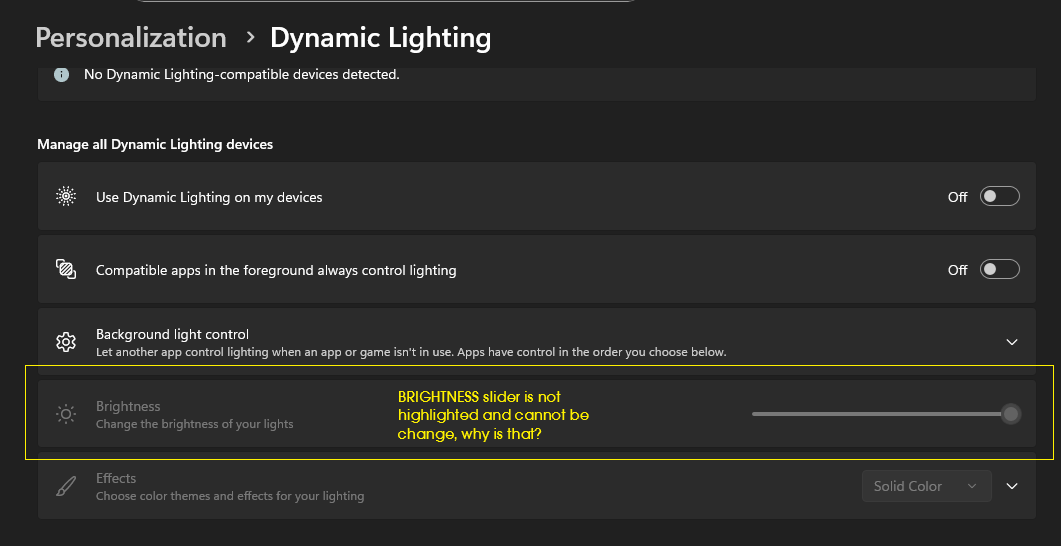
I already disbale/enable the display adapters (Intel HD Graphics 620, NVIDIA GeForce 940MX). Still not working. Any help will do. Thanks.
 Larski21
Re: looking for the BIOS Crisis file for the Aspire V3-731G. Need this file due to a damaged UEFI/BIOS
I need an .fd file, not some [Content Removed] PDF…
What’s the point of this PDF if I don’t even have the BIOS file?
[Edited the content to hide sensitive information]
 backerei
Why does my acer nitro 5 get bad fps
My acer nitro 5 only gets 5 fps in every game and it isnt even trying to get good fps does anyone know how to fix that

Nitro V : Nitrosense Issue fixed using CMD and BIOS (Disable GNA)
There's a very easy solution, let me explain:
If you have a Nitro V (or a similar model) computer and your processor is a recent model, then follow these steps:
Open the command prompt as an administrator and enter the following commands:
1) “lodctr /R”
“winmgmt /resyncperf”
2) From the BIOS settings (I'm explaining via UEFI), go to the advanced settings and disable GNA.
That's it.

Re: Acer swift go 14 AI snapdragon series camera not working
To fix the camera on your Acer Swift Go 14 AI Snapdragon series laptop, you will need to check physical controls, adjust your Windows privacy settings, and troubleshoot the camera's driver. In some cases, a recent Windows update may have caused a conflict with the drivers on Snapdragon-based models.
Step 1: Check for a physical camera switch or shutter
Many modern laptops include a physical switch or sliding shutter to disable the camera for privacy.
Locate the switch: Check the sides of your laptop for a small switch with a camera icon.
Look for a shutter: Some models have a small slider built directly into the bezel above the camera lens.
Ensure it is enabled: Make sure the switch is in the "On" position or the slider is open and not covering the lens.
Step 2: Allow app access in Windows settings
Windows 11 has privacy settings that can block apps from using your camera.
Open the Start Menu and click Settings.
Go to Privacy & security, then click Camera under "App permissions".
Turn on Camera access and Let apps access your camera.
Ensure that Let desktop apps access your camera is also turned on, as this is required for apps like Zoom, Teams, and web browsers.
Step 3: Run the Windows camera troubleshooter
Windows can automatically find and fix many camera problems.
Open the Start Menu and navigate to Settings > System > Troubleshoot.
Click on Other troubleshooters.
Find Camera in the list and click Run. Follow the on-screen prompts.
Step 4: Reset the camera app
If the camera fails only in the built-in Camera app, resetting it can resolve the issue.
Go to Settings > Apps > Installed apps.
Find the Camera app, click the three-dot menu next to it, and select Advanced options.
Scroll down to the "Reset" section and click the Reset button.
Step 5: Reinstall the camera driver
For Snapdragon-based laptops, a quick driver reset is often the most effective fix for camera errors, especially after a Windows update.
Open the Start Menu, type Device Manager, and open the application.
Expand the Cameras section.
Right-click on your Snapdragon camera (it may also appear as "Qualcomm MIPI camera driver" or a similar name) and select Uninstall device.
If prompted, check the box to Delete the driver software for this device.
Restart your laptop. Windows should automatically detect the camera and reinstall the default driver.
Step 6: Update Windows
Make sure your operating system is fully up to date, as Microsoft often releases fixes for known hardware issues through Windows Update.
Open Settings > Windows Update and click Check for updates.
Also, check for optional updates by going to Advanced options > Optional updates and installing any available driver updates.
-----------------------------------------
If this answers your question and solved your query please "Click on Like" and then Yes "Answered".
 Axxo
Axxo





