





Best Of
Re: Acer Aspire XC-230 - Can I install an SSD in the PCIe slot?
Good luck with your upgrade.😊
 JackE
JackE
Re: My AN517-55 doesn't have a applications for Nitrosence, Is the latest version available?
This error happens because your computer has incorrectly associated .config files with Adobe Acrobat. NitroSense uses a file called setup.exe.config to run, but instead of reading it as code, Windows is trying to "open" it as a PDF.
How to Fix File Associations:- You need to reset your default apps so Windows stops using Acrobat for these system files.
Reset All Default Apps:Open Settings (Win + I). Go to Apps > Default apps. Scroll to the bottom and click the Reset button under "Reset all default apps".
Restart your computer and try opening NitroSense again.
 Axxo
Axxo
AcerSense not set to Performance mode. This happened after today's Windows 11 PRO update.
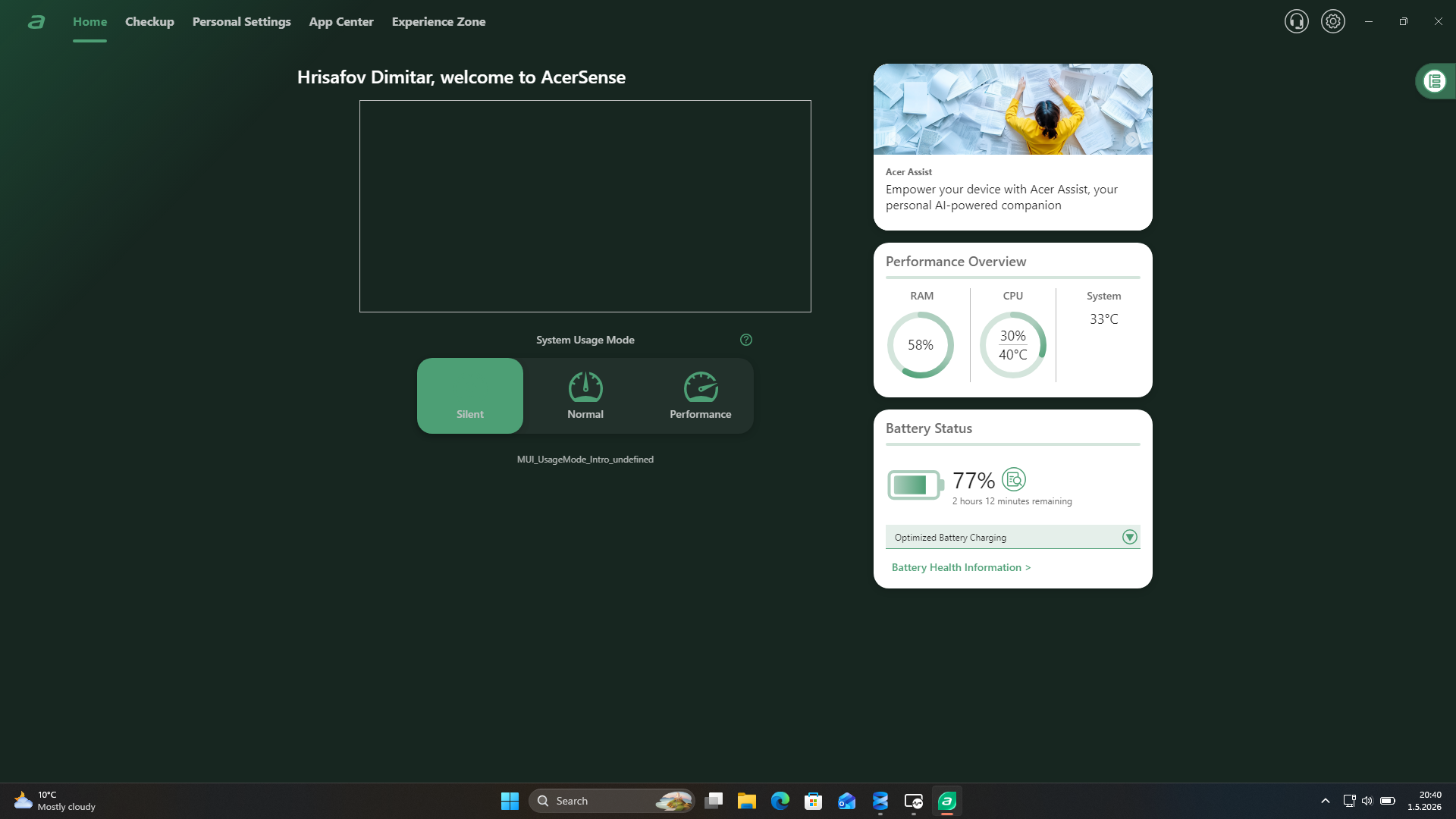
AcerSense do not set to a Performance mode.
[Edited the thread to add issue detail]

Re: Acer X115H projector - The projector shows a purple light but does not start. I replaced the EPROM but issue still persists.
Hi Aymen33,
For the Acer X115H, a purple light usually occurs when the red (Standby) and blue (Power) LEDs are active at the same time, indicating a logic conflict or a motherboard/power supply unit (PSU) failure. Since replacing the EPROM did not work, the issue is likely deeper in the hardware.
Potential Hardware Causes
Power Supply Unit (PSU) Failure: A common cause is a faulty PSU that provides enough voltage (approx. 5V) for the standby light but fails to deliver the required higher voltage (usually 12V or more) to start the fans and ignition.
Mainboard Short or Component Failure: If a component on the mainboard is overloading the power supply, the unit may enter a protection mode, preventing the fans from spinning or the lamp from igniting.
Safety Switch Issues: Check the lamp door safety switch. If the door is not fully closed or the switch is faulty, the projector will receive power but refuse to initiate the startup sequence.
Troubleshooting Steps
Hard Reset: Unplug the power cord and press and hold the power button for 30–60 seconds to drain residual electricity from the capacitors. Plug it back in and try to power on.
Inspect the PSU: If you have technical experience, check the voltage output on the PSU pins. In similar cases, a reading of around 4.8V was found while in standby, but the unit failed to switch to the full 12V needed for operation.
Check Internal Connectors: Ensure all ribbon cables and fan connectors are securely seated. A single loose connection to a critical sensor (like a thermal sensor or fan) can prevent the system from booting.
Test the Lamp: Although unlikely to cause a purple light on its own, a completely dead lamp or a blown lamp fuse can sometimes stall the startup process. Inspect the lamp for any physical cracks or darkening.
If the unit remains unresponsive after these checks, the Mainboard likely has a faulty voltage regulator or a failed microcontroller that was not resolved by the EPROM swap.
----------------------------------------------------------------------------------
If this comment answers your question, Please "Click on Yes" and then Answered.
Axxo
Re: Predator PHN16-71 Screen Freezes during normal use, works fine in safe mode and gaming
yes that is the setup I used! Unfortunately, the freezes are still taking place.
 skan131
Predator PHN16-71 Screen Freezes during normal use, works fine in safe mode and gaming
Hi so I’ve been having this issue for a while and I cannot figure out a fix. I’ve tried literally everything at this point. It’s really weird, but basically the screen randomly freezes (usually no glitches or anything on the screen, just completely freezes with no mouse movement on USB mouse or touchpad and shortcuts don’t work) but the computer does not freeze while in safe mode or while gaming. It only does this on just normal random Home Screen or Google browsing etc. if I’ve full screened a game, it works with no crash. I’ve tried almost everything I’ve read online, but no idea what’s going on.
Specs are intel i7-13700HX, NVIDIA GeForce RTX 4060, 32GB ram upgraded from 16 gb at purchase.
skan131
Re: Nitrosense isn't working or Installing on my AN515-58. How to fix?
Here it is. Download and install it:

Re: System usage mode not changing and silent mode isn't silent. Fn + F doesn't change the mode. It's an Acer Swift Go 14.
I have the same problem, also from April. I uninstalled and re install and now is worst. I used the app to change the screen modes.
 Andres77
Re: System usage mode not changing and silent mode isn't silent. Fn + F doesn't change the mode. It's an Acer Swift Go 14.
"look for services like acSvc or acerAgentSvc."
Not acSvc. I found accSvc.exe (ACC service). Restart it did not help.
I can not find acerAgentSvc.
 Ming2_He
System usage mode not changing and silent mode isn't silent. Fn + F doesn't change the mode. It's an Acer Swift Go 14.
I can't change how loud my fan is, it's stuck on silent mode, but the fan is not as quiet as it normally is. My laptop is also running quite hot. I don't have anything running. Fn + F doesn't change the mode and when I click a different option on AcerSense nothing happens. This has not happened before. It's an Acer Swift Go 14 I got it in August.
[Edited the thread to add model number to the title and issue detail]
 Danieljf





