





Best Of
Re: Predator Helios Neo 16 AI (PHN16-73) wont turn on unless on charge.
This seems to have fixed it. Thank you!

Re: Acer nitro V15-Laptop base is a little bend, Is this a part of design or a technical failure?
> everything else works fine there no issues with the functioning > Front one is alright just a little difference in weight distribution very minor though ! Is that alright or should I complaint >
If it was mine, I'd leave it alone and forget about it
 JackE
JackE
Re: How do I download predator sense app on my predator PHN16-71 (2023)
Hi Acheron02
The latest series no longer use PS. Windows 10 models that are upgraded to Windows 11 also do not have Windows 11 versions of PS, since the Windows 10 BIOS is not compatible. A newer “light” Predator that does not ship with PredatorSense is the Predator Helios Neo 14 (PHN14‑51). It uses AcerSense as the official control utility for performance profiles, updates, and diagnostics.
 Puraw
Puraw
Re: GTX 1650 Ti stuck at 300 MHz / 20W under load - Predator Helios 300 (2020) - (PH315-53) -
Replace the battery first then worry about the clock speed, Windows11 is detecting a bad battery and trying to conserve energy possibly by throttling GPU power. Note that in 2025, Microsoft briefly removed official support for Intel’s 10th Gen CPUs, including the i5-10300H, from the Windows 11 24H2 compatibility list and your 2021 BIOS version is for Windows10 (no updates available). yes, a depleted or worn battery can absolutely cause GPU throttling, even when the charger is connected. Replacing the battery often restores normal behavior, especially if the EC and BIOS are tuned to expect a healthy battery for full performance. After replacing the battery and following StevenGen's suggestions and still have GPU issues consider reinstalling Windows11 23H2 from UUPdump.net.
Puraw
Re: I got the nitro lite 16. Can i play AAA games?
Hi bigblackRichard
The Nitro Lite 16 is an entry‑level gaming laptop. It can run many modern titles, but performance with demanding AAA games will depend on the exact CPU, GPU, and RAM configuration you have. In general:
- With integrated graphics (Intel Iris Xe or AMD Radeon iGPU), expect only light or older AAA games at low settings and 720p/1080p resolution.
- With a dedicated GPU (e.g. RTX 3050/4050), you can play most AAA games at medium settings and 1080p, but not at ultra settings or high refresh rates.
- 16 GB of RAM is strongly recommended for smoother gameplay.
- A fast SSD helps with load times but does not increase frame rates.
For reference, Acer lists the Nitro Lite 16 in the Nitro Gaming family here: https://www.acer.com/us-en/laptops/nitro
If your goal is casual or mid‑range gaming, the Nitro Lite 16 will handle it. For consistently high frame rates in the latest AAA titles, a full Nitro or Predator model with higher‑end GPUs is the better choice.
Puraw
Re: Does Acer Swift Go 14 AI SFG14-01-X4DG support facial recognition and fingerprint?
Hello Axxo,
Acer Swift go 14 AI has IR camera sensor but when I try to set up the facial recognition it's says that the camera can't work properly.
 SUZAIN39
Re: Does Acer Swift Go 14 AI SFG14-01-X4DG support facial recognition and fingerprint?
Yes, the Acer Swift Go 14 AI (SFG14-01-X4DG) supports both fingerprint recognition (via a sensor on the power button) and facial recognition (using its IR webcam with Windows Hello) for secure login.
Here's a breakdown:
Fingerprint Recognition:
The laptop is equipped with a fingerprint sensor, allowing for quick and secure access to your device by simply touching the power button.
Facial Recognition:
It features a 1080p FHD IR webcam that works with Windows Hello to enable facial recognition for login. This IR camera is essential for the security and functionality of Windows Hello's biometric features.
-----------------------------------------
If this answers your question and solved your query please "Click on Like" and then Yes "Answered".
 Axxo
Axxo
Camera QHD User Facing (Swift SFG14-01) does not function at all.
My camera QHD User Facing on Acer Swift SFG14-01 cannot produce any image at all or does not work well. The camera is still found there in Device Manager, too. I'd already updated it several times. Does anyone help me solve the issue? Thanks so much.

Re: Camera QHD User Facing (Swift SFG14-01) does not function at all.
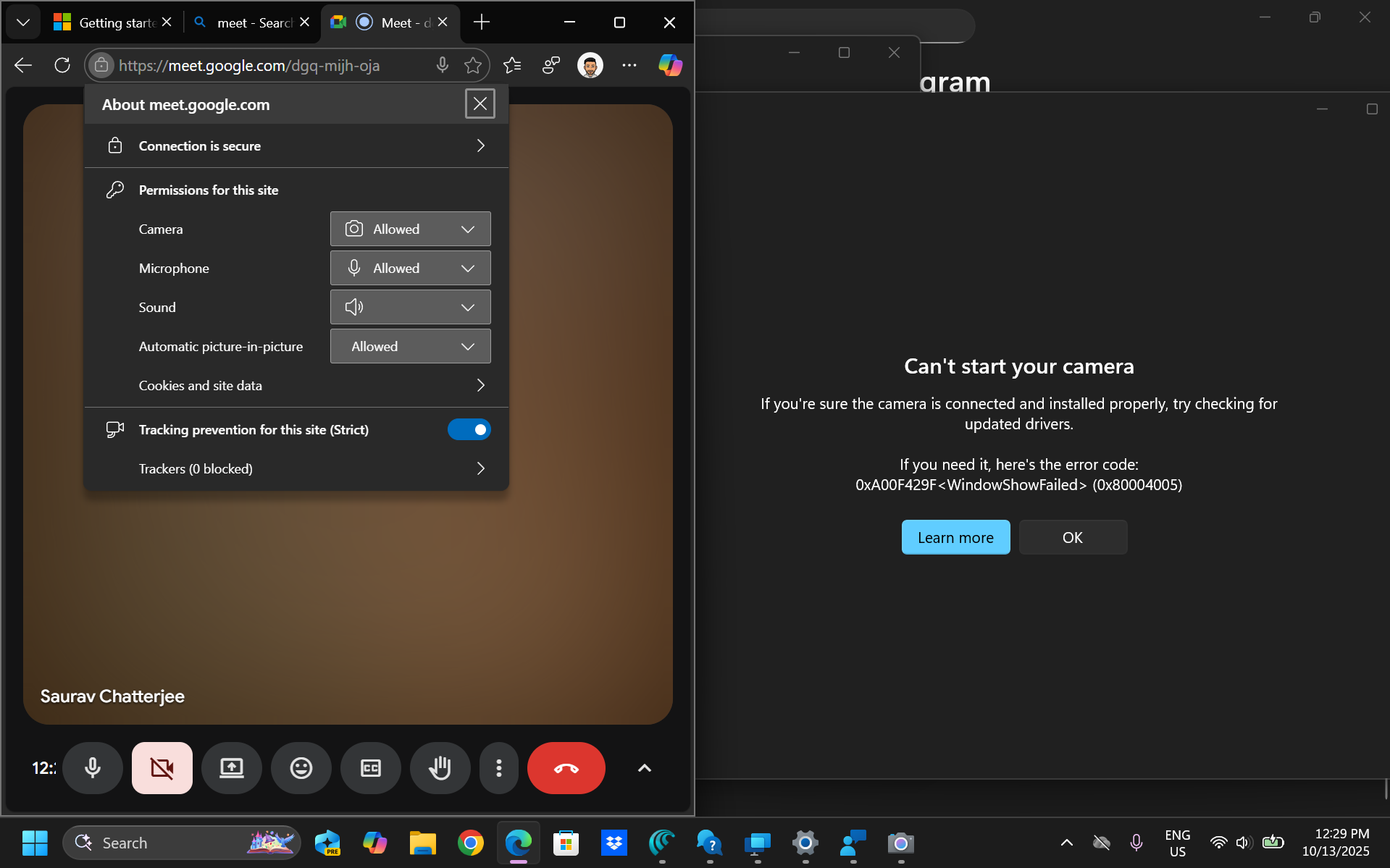
I used the camera on September 20th. Then my laptop got a windows update, i went ahead with it after that it stopped working. I've also raised a ticket with Microsoft, will keep you posted if I get a solution. Meanwhile, please let me know if you found the solution already

Re: Camera QHD User Facing (Swift SFG14-01) does not function at all.
It’s a driver issue. Had the same issue. Found the solution here and had to manually delete and reinstall drivers.
 JVL01
JVL01





