Hey,
I have an Acer Predator PO7-640 (3080, i9-1200K) from around 3-4 years ago.
A few weeks ago i started getting random display freezes followed by a reboot (if not manually restarted first).
While the display freezes, the event viewer is spammed with the following event
(german, google-translated below):
Protokollname: System
Quelle: Microsoft-Windows-WHEA-Logger
Datum: 29.11.2025 22:40:50
Ereignis-ID: 17
Aufgabenkategorie:Keine
Ebene: Warnung
Schlüsselwörter:
Benutzer: Lokaler Dienst
Computer: DESKTOP-65GM9SM
Beschreibung:
Es ist ein korrigierter Hardwarefehler aufgetreten.
Komponente: PCI Express Root Port
Fehlerquelle: Advanced Error Reporting (PCI Express)
Primär Bus:Gerät:Funktion: 0x0:0x1:0x0
Sekundär Bus:Gerät:Funktion: 0x0:0x0:0x0
Primärer Gerätename: PCI\VEN_8086&DEV_460D&SUBSYS_15741025&REV_02
Sekundärer Gerätename:
Ereignis-XML:
<Event xmlns="http://schemas.microsoft.com/win/2004/08/events/event">
<System>
<Provider Name="Microsoft-Windows-WHEA-Logger" Guid="{c26c4f3c-3f66-4e99-8f8a-39405cfed220}" />
<EventID>17</EventID>
<Version>1</Version>
<Level>3</Level>
<Task>0</Task>
<Opcode>0</Opcode>
<Keywords>0x8000000000000000</Keywords>
<TimeCreated SystemTime="2025-11-29T21:40:50.6564266Z" />
<EventRecordID>6583</EventRecordID>
<Correlation ActivityID="{3c244bf9-ae0c-4aad-97c8-7efb08dc5228}" />
<Execution ProcessID="9012" ThreadID="9420" />
<Channel>System</Channel>
<Computer>DESKTOP-65GM9SM</Computer>
<Security UserID="S-1-5-19" />
</System>
<EventData>
<Data Name="ErrorSource">4</Data>
<Data Name="FRUId">{00000000-0000-0000-0000-000000000000}</Data>
<Data Name="FRUText">
</Data>
<Data Name="ValidBits">0xdf</Data>
<Data Name="PortType">4</Data>
<Data Name="Version">0x101</Data>
<Data Name="Command">0x407</Data>
<Data Name="Status">0x10</Data>
<Data Name="Bus">0x0</Data>
<Data Name="Device">0x1</Data>
<Data Name="Function">0x0</Data>
<Data Name="Segment">0x0</Data>
<Data Name="SecondaryBus">0x0</Data>
<Data Name="SecondaryDevice">0x0</Data>
<Data Name="SecondaryFunction">0x0</Data>
<Data Name="VendorID">0x8086</Data>
<Data Name="DeviceID">0x460d</Data>
<Data Name="ClassCode">0x30400</Data>
<Data Name="DeviceSerialNumber">0x0</Data>
<Data Name="BridgeControl">0x0</Data>
<Data Name="BridgeStatus">0x0</Data>
<Data Name="UncorrectableErrorStatus">0x14000</Data>
<Data Name="CorrectableErrorStatus">0xb100</Data>
<Data Name="HeaderLog">00000034100000010000000000000000</Data>
<Data Name="PrimaryDeviceName">PCI\VEN_8086&DEV_460D&SUBSYS_15741025&REV_02</Data>
<Data Name="SecondaryDeviceName">
</Data>
</EventData>
</Event>
————————————————translated:——————————————————
Log Name: System
Source: Microsoft Windows WHEA Logger
Date: 11/29/2025 10:40:50 PM
Event ID: 17
Task Category: None
Level: Warning
Keywords:
User: Local Service
Computer: DESKTOP-65GM9SM
Description:
A corrected hardware error occurred.
Component: PCI Express Root Port
Error Source: Advanced Error Reporting (PCI Express)
Primary Bus:Device:Function: 0x0:0x1:0x0
Secondary Bus:Device:Function: 0x0:0x0:0x0
Primary Device Name: PCI\VEN_8086&DEV_460D&SUBSYS_15741025&REV_02
Secondary Device Name:
Event XML:
<EventID>17</EventID>
<Version>1</Version>
<Level>3</Level>
<Task>0</Task>
<Opcode>0</Opcode>
<Keywords>0x8000000000000000</Keywords>
<TimeCreated SystemTime="2025-11-29T21:40:50.6564266Z" />
<EventRecordID>6583</EventRecordID>
<Correlation ActivityID="{3c244bf9-ae0c-4aad-97c8-7efb08dc5228}" />
<Execution ProcessID="9012" ThreadID="9420" />
<Channel>System</Channel>
<Computer>DESKTOP-65GM9SM</Computer>
<Security UserID="S-1-5-19" />
</System>
<EventData>
<Data Name="ErrorSource">4</Data>
<Data Name="FRUId">{00000000-0000-0000-0000-000000000000}</Data>
<Data Name="FRUText">
</Data>
<Data Name="ValidBits">0xdf</Data>
<Data Name="PortType">4</Data>
<Data Name="Version">0x101</Data>
<Data Name="Command">0x407</Data>
<Data Name="Status">0x10</Data>
<Data Name="Bus">0x0</Data>
<Data Name="Device">0x1</Data>
<Data Name="Function">0x0</Data>
<Data Name="Segment">0x0</Data>
<Data Name="SecondaryBus">0x0</Data>
<Data Name="SecondaryDevice">0x0</Data>
<Data Name="SecondaryFunction">0x0</Data>
<Data Name="VendorID">0x8086</Data>
<Data Name="DeviceID">0x460d</Data>
<Data Name="ClassCode">0x30400</Data>
<Data Name="DeviceSerialNumber">0x0</Data>
<Data Name="BridgeControl">0x0</Data>
<Data Name="BridgeStatus">0x0</Data>
<Data Name="UncorrectableErrorStatus">0x14000</Data>
<Data Name="CorrectableErrorStatus">0xb100</Data>
<Data Name="HeaderLog">00000034100000010000000000000000</Data>
<Data Name="PrimaryDeviceName">PCI\VEN_8086&DEV_460D&SUBSYS_15741025&REV_02</Data>
<Data Name="SecondaryDeviceName">
</Data>
</EventData>
</Event>
<Event xmlns="http://schemas.microsoft.com/win/2004/08/events/event"><System><Provider Name="Microsoft-Windows-WHEA-Logger" Guid="{c26c4f3c-3f66-4e99-8f8a-39405cfed220}" />
When it reboots it shows the following error:
Beschreibung
Aufgrund eines Hardwareproblems ist Windows nicht mehr voll funktionsfähig.
(Description
Due to a hardware problem, Windows is no longer fully functional.)
Problemsignatur
Problemereignisame: LiveKernelEvent
Code: 141
Parameter 1: ffff888682dee010
Parameter 2: fffff8039d8f0a10
Parameter 3: 0
Parameter 4: 0
Betriebssystemversion: 10_0_26200
Service Pack: 0_0
Produkt: 768_1
Betriebsystemversion: 10.0.26200.2.0.0.768.101
Gebietsschema-ID: 1031
Dateien zur Beschreibung des Problems
WATCHDOG-20251130-1826.dmp
sysdata.xml
WERInternalMetadata.xml
memory.csv
sysinfo.txt
WERInternalRequest.xml
(https://drive.google.com/drive/folders/15myCNxb142OcBy4hhuiNokLvGix2owfL?usp=sharing)
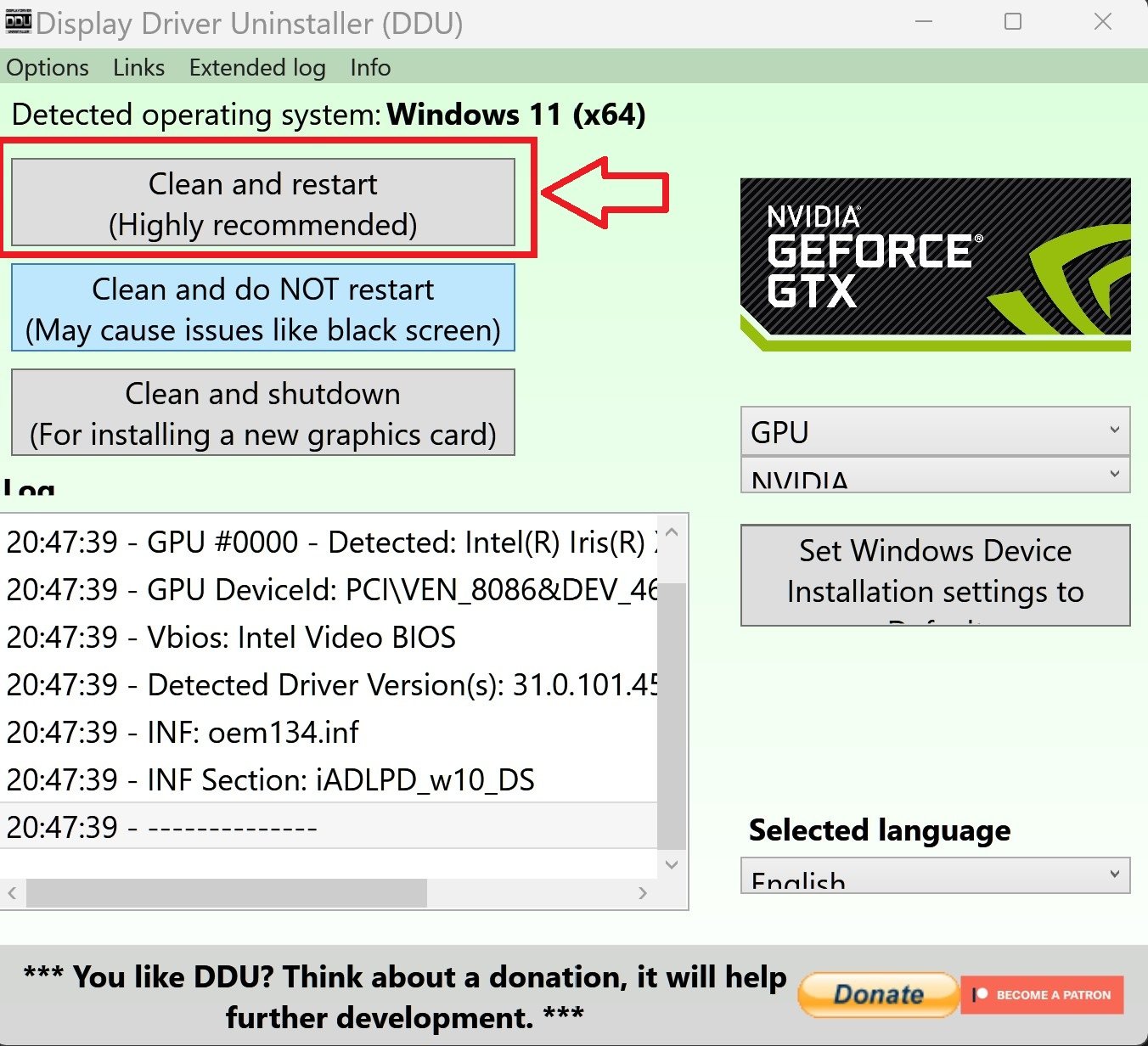
All drivers are up to date, display driver has been reset with DDU, default windows health checks (RAM, sfc, DISM) all finished wihtout a problem. I've also reinstalled windows.
I've read that it has something to do with the gpu, but ive got no idea what else to do (before completely wiping the pc).
Is it likely, that my gpu is just broken and is there something else i can try?
Thx :)
[Bearbeitet um den Titel anzupassen] Marcus-Acer